

Description
Overview — What It Is
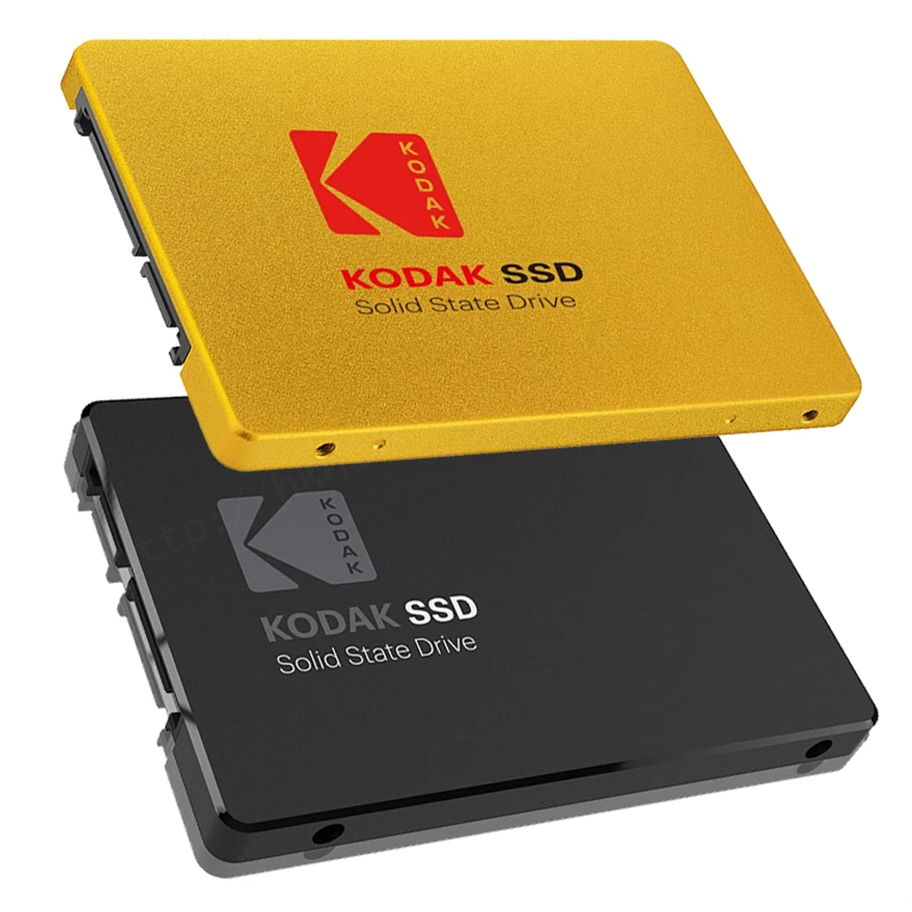
The Kodak X120 PRO SSD is an internal solid-state drive designed to be installed inside laptops, desktops, servers, or other computers that support a standard 2.5-inch SATA drive. Unlike traditional spinning hard drives (HDDs), an SSD has no moving parts, which helps it work faster, run more quietly, and resist shocks from bumps and movement.
This model comes in several storage capacities — including 128 GB, 256 GB, 512 GB, and 1 TB — so you can choose a size based on how much data you want to store and how you plan to use the drive.
Key Features
Form Factor & Interface
-
Form Factor: 2.5 inch, about the same size as many laptop hard drives.
-
Interface Type: SATA III (6 Gb/s) — a common and widely compatible connection used in many laptops and desktops. It’s also backward compatible with older SATA II (3 Gb/s) ports.
-
Transport Protocol: AHCI, which helps the drive communicate efficiently with your computer’s operating system.
These specifications make the X120 PRO easy to install in most systems that have a 2.5-inch drive bay and a SATA port.
Performance & Speed
One of the biggest reasons people choose an SSD over a traditional HDD is speed. The Kodak X120 PRO delivers faster performance in everyday tasks like:
-
Booting up your computer
-
Loading games and applications
-
Transferring files
Here’s what the performance looks like:
-
Max sequential read speed: up to 550 MB/s — how fast the drive can read large blocks of data.
-
Max sequential write speed: up to 510 MB/s — how fast the drive writes data to the disk.
These speeds are typical for SATA III SSDs and represent a big improvement over older hard drives, which usually operate at much slower speeds (often under 150 MB/s).
Technology Inside
The X120 PRO uses TLC NAND flash memory, a type of storage technology that balances price with solid performance and durability.
It also includes smart memory management features such as:
-
ECC (Error Correction Code): Helps fix data errors that occur during storage and retrieval.
-
TRIM: Helps maintain performance over time as the drive fills up.
-
SMART monitoring: Allows your system to track the drive’s health.
-
Bad block management: Improves reliability by handling memory cells that can no longer hold data well.
These technologies help the SSD manage stored data effectively, maintain performance, and improve longevity.
Compatibility & Use Cases
The X120 PRO SSD works with a wide range of systems:
✔ Laptops and Ultrabooks – as a main drive to install your operating system
✔ Desktops and Workstations – as a fast storage option for programs or files
✔ Servers and Industrial Computers – where reliability is important
✔ Windows, macOS, Linux, Chrome OS – compatible with most popular operating systems when installed as an internal drive
Because the SSD is internal and uses the SATA interface, it replaces an existing hard drive or SSD in systems that support that form factor.
Durability & Reliability
One major advantage of SSDs is durability:
-
There are no spinning platters, so SSDs resist physical shock better than traditional HDDs.
-
The X120 PRO also includes protections that help it endure everyday use and reduce the risk of data loss caused by impacts.
-
The drive is rated for a long Mean Time Between Failures (MTBF) of around 2,000,000 hours — a typical way manufacturers estimate reliability over time.
Capacity & Practical Storage
Different capacity options let you choose how much space you need:
-
128 GB — good for basic use, like installing an operating system and essential programs
-
256 GB — more space for apps, files, and media
-
512 GB — decent central storage for a combination of files, games, and apps
-
1 TB — large storage for lots of data, backups, and games
Keep in mind that the actual usable space will show slightly less than the listed capacity, because computers calculate gigabytes differently than manufacturers do. For example, a labeled 1 TB drive may show around ~930 GB usable in your system.
Summary — Why People Choose It
The Kodak X120 PRO SSD is a budget-friendly internal solid-state drive with reliable performance, broad compatibility, and multiple capacity options. It’s especially useful if you want to:
-
Speed up an older computer
-
Get faster loading times than a traditional HDD
-
Store games, applications, and files with solid performance
-
Upgrade a laptop or desktop without replacing the whole system
It’s designed as a practical, everyday SSD for most users rather than a high-end professional model, making it a good choice when you want affordability, speed, and reliable storage together.

Reviews
There are no reviews yet.