
Description
1. Overview & positioning
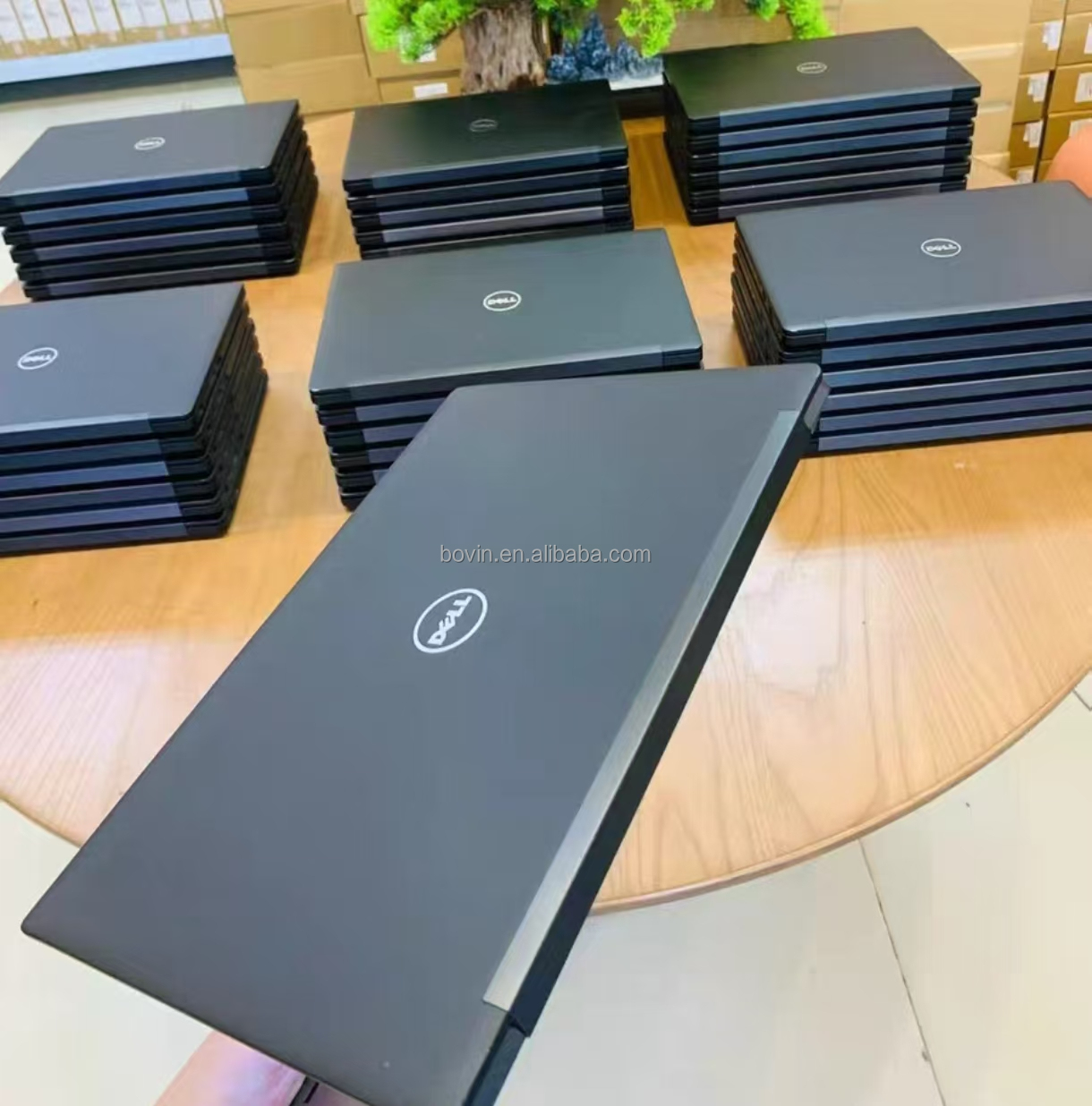
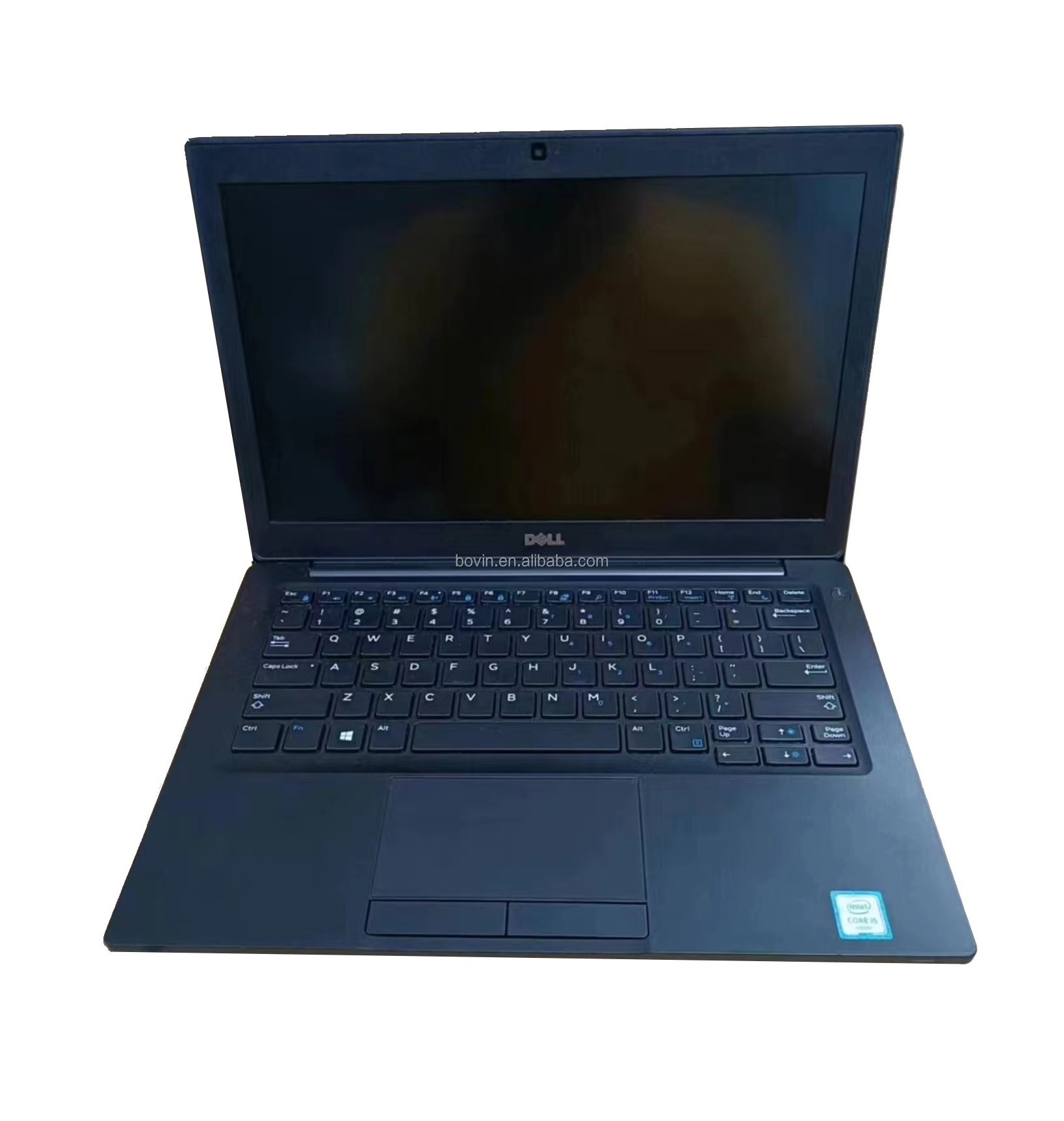
The Dell Latitude E7280 is a compact business-class ultrabook/laptop built for work-and-mobility rather than pure gaming. Key features include:
-
12.5″ (or “12.6″” depending on variant) screen size — small and portable. Refurbished Bazar+1
-
Available with Intel Core i5 or i7 “U-series” (ultra-low voltage) processors (e.g., 6th or 7th generation). Techbasket Kenya+1
-
Often configured with 8 GB RAM and a 256 GB SSD (solid-state drive) — enough for many office/student workflows. GizmoTech Pro+1
-
Many refurbished units (so used/renewed) and sold at significantly lower price than new machines. Good value if you check condition and specs.
Because it’s a business-laptop from a trusted brand (Dell) and built for enterprise durability, it has several advantages: portability, reliability, solid build, decent ports/connections. These make it a “sweet spot” for students, office users, remote work, light media editing, etc.
2. Why it’s hot-selling / appealing in the refurbished market
Here are specific reasons why the E7280 is popular and often a smart buy in the “value laptop” segment:
-
Cost-effectiveness: You can get “business grade” hardware (Dell, enterprise design) for far less than new consumer models. For example, listings show refurbished E7280 at ~₹19,500 in India (≈ US$250) for i5/8GB/256GB. VestaDeal
-
Business-class build: These machines are designed for workplace use, so you often get stronger chassis, better cooling, more durable keyboard/hinges than typical low-cost consumer laptops.
-
Portability: With a 12.5″ display it’s smaller and lighter than larger 15″ laptops — good for students carrying around campus or professionals commuting.
-
Adequate performance for most tasks: While it’s not a high-end gaming machine, the i5/i7 U-series processors + SSD give snappy responsiveness for web, office apps, photo editing, coding, light multitasking.
-
Refurbished market supply: Because many businesses refresh their fleets, models like the E7280 appear in refurb / used markets, which supplies inventory and drives competitive pricing.
-
Upgradeable possibilities: SSD and RAM may be upgradable (depending on configuration) in many units, allowing you to stretch the machine’s usable life.
Because of these factors, the model checks many boxes for “office computer”, “student notebook”, and even “light gaming” (though with caveats) at a low price.
3. Typical specifications and what to expect
When you look at used/refurbished E7280 machines, you’ll commonly see specs along these lines (here’s an aggregated picture):
-
Processor: e.g., Intel Core i5-6300U (6th gen) or i5-7300U (7th gen) or Core i7-6600U etc. Refurbished Bazar+2wieneu-online.at+2
-
RAM: 8 GB DDR4 (some may have 4GB, some upgrades to 16GB) Global IT+1
-
Storage: 256 GB SSD (some units 240GB, 512GB, etc) VestaDeal+1
-
Display: 12.5″ (sometimes 12.6″ in marketing) with possible resolutions: 1366×768 (HD) or Full HD 1920×1080. For example one listing: 12.5″ Full HD 1920×1080. RefurbishedDirect.com+1
-
Graphics: Integrated Intel HD Graphics (since it uses U-series CPU) — no dedicated GPU in most models. GizmoTech Pro
-
Ports / connectivity: Business-class I/O including USB 3.0 ports, HDMI or mini-DisplayPort, RJ-45 Ethernet (which many consumer ultrabooks omit), SD card reader, sometimes USB-C or Thunderbolt depending on variant. wieneu-online.at+1
-
Physical form & weight: Lightweight starting ~1.18 kg in some listings. Refurbished Bazar
-
Operating system: Usually Windows 10 Pro pre-installed in refurbished units; Windows 11 compatibility may vary since older hardware. RefurbishedDirect.com+1
4. Who this laptop is good for
Given the above, here are ideal use-cases:
-
Office / business professionals: If you do spreadsheets, documents, email, remote work, video conferencing, the E7280 is more than capable. Having business-class build and full I/O is a bonus.
-
Students: The portability and reasonable price make it good for college/university: writing papers, browsing, coding, online classes, presentations.
-
Traveling/commuting users: Lightweight size, business durability, and good battery life (depending on condition) make it good for mobile use.
-
Budget gamers / light gaming / multimedia: While it is not built for high-end gaming (no strong discrete GPU), it can handle light games, indie titles, older games, streaming video, etc. If you lower graphics settings it can work.
-
Refurb / value buyers: If budget is tight but you want a reliable brand and decent specs, a refurbished E7280 is a smart “bang for buck” choice.
5. Limitations & things to check before buying used/refurbished
Because you’re buying a used/refurbished machine, and because the hardware is a few years old, you should be aware of some caveats and inspect carefully:
-
Battery health: With older laptops the battery may have degraded significantly. Check remaining capacity and cycles; ask for battery health report if possible.
-
Condition of hinges, screen, keyboard: Look for any cracks, bezel damage, screen backlight issues, keyboard wear or missing keys.
-
Display resolution / panel quality: Some units may have the slower 1366×768 display rather than full HD; if you care about sharpness, ensure you get 1920×1080 if possible.
-
Processor generation & performance: While 6th/7th gen U-series CPUs are still usable, they don’t match newer machines in raw performance. If you plan heavy video editing or gaming, this may be a limitation.
-
Upgrade potential: Some units may have soldered RAM or limited upgrade room; check if RAM is upgradeable, SSD slot available, etc.
-
Operating system & firmware: Make sure the licensed OS is valid, drivers are updated, and firmware (BIOS) is current. Windows 11 support may be limited depending on hardware.
-
Warranty / seller policy: Since you’re buying refurbished, check the warranty period, return policy, and that the seller is reputable. Some listings emphasise “Grade A” condition, one year warranty, etc. wieneu-online.at+1
-
Used condition can vary: Even among “refurbished” units there’s a range: some may have cosmetic damage, others may be nearly like new. One buyer noted:
“I just bought a refurbished DELL E7280 … whenever I move the laptop suddenly I get this screen … probably a loose ribbon cable connecting the display with motherboard.” Reddit
-
Gaming limitations: Because the graphics are integrated, for gaming you’ll need to pick lighter titles, reduce resolution/graphics settings, and accept it won’t compete with a dedicated-GPU machine.
-
Age & future proofing: Given the age of the hardware, after a few years you may find limitations with newer software, especially GPU/AI workloads, or Windows 11 security features.
6. Price & value in context
In many markets refurbished E7280 units are appearing at budget friendly prices. For example:
-
A listing in Kenya: “Dell Latitude E7280 Core i5 6th Gen 8GB/256GB SSD” for KSh 19,999. Rondamo Technologies
-
In India: i5 7th Gen/8GB/256GB for ~₹19,500. VestaDeal
-
In Europe: Refurbished i5-7300U/8GB/256GB for ~€277. wieneu-online.at
Given such pricing, if you find one in Rwanda or East Africa at a comparable or slightly higher price, it can be a very good deal — especially if condition and specs (e.g., full HD display, good battery) are solid.
Also remember: if you plan to upgrade RAM/SSD later, you may further extend value.
7. Summary – Why you should consider it
Putting it all together:
-
You’ll get solid performance for everyday work, good for office, school, remote work — with reliable brand and build.
-
Excellent value in the refurbished market: get business-class machine at “budget” price.
-
Portable and practical: 12.5″ size, decent I/O ports (including Ethernet) — sometimes rare in ultraportables.
-
Good for students/commuters who don’t need heavy gaming or high-end GPU: you’ll still be able to handle most tasks, browse, video-conference, code, write, stream.
-
If you find one with the right spec (i5/i7, 8+GB RAM, 256GB SSD, full HD display, good battery, warranty), it’s a strong “smart buy” in the used/refurbished category.
8. My recommendation for what to check when buying in your region
Since you’re presumably in Kigali/Rwanda, here are suggestions:
-
Ensure the seller provides a warranty or at least return policy — even if short (3-12 months) is helpful for peace of mind.
-
Ask for or check battery health (if possible) — older machines may have degraded batteries; factor in potential cost of replacement.
-
Verify specs: get confirmation of processor (i5 or i7, and generation), RAM size, SSD size, display resolution. If possible see the machine in operation.
-
Check condition: ask to see pictures or inspect the hinge, keyboard, screen, case. Minor signs are acceptable, major damage should reduce price.
-
Confirm the OS is properly licensed and activated (Windows 10 Pro etc).
-
If possible, see if the machine has full HD (1920×1080) display rather than the lower 1366×768, especially if you use multiple windows or work with graphics.
-
Consider how “future proof” you need it: If your use case will remain moderate the next 2-3 years, this machine should serve well. But if you plan heavy video work or AAA gaming, you’d likely need newer hardware.
-
Compare local price vs import / international price: If you see a deal significantly cheaper than international refurbished benchmarks (e.g., ~US$250-300 or equivalent), that’s very good — but factor in shipping/import, warranty, power plug/adapter, service availability.
Reviews
There are no reviews yet.