

Description
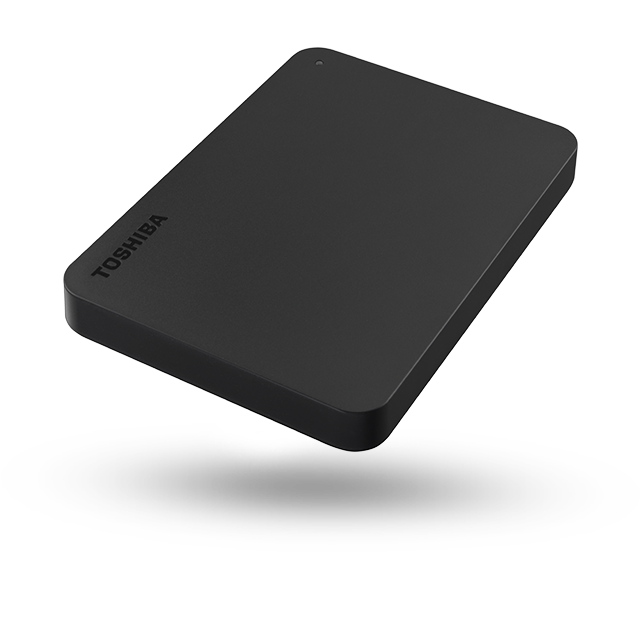
Here’s a detailed and comprehensive description of the Toshiba A3 (Canvio Basics) 2.5″ Portable External Hard Drive (1 TB-4 TB USB 3.0/3.2 Gen 1) — breaking down everything you should know: what it is, its key features, how it works, what to watch out for, and how it fits into your setup.

✅ What the Drive Is
The Toshiba A3 (also referred to as the Canvio Basics A3) is a portable external hard disk drive (HDD) in the 2.5-inch form factor, designed to provide large capacity storage that is easy to carry, connect and use with laptops and desktop PCs. It’s available in capacities from 1 TB up to 4 TB, giving you plenty of space for files, media, backups and more. elnour-tech.com+3toshiba-storage.asia+3Alibaba+3
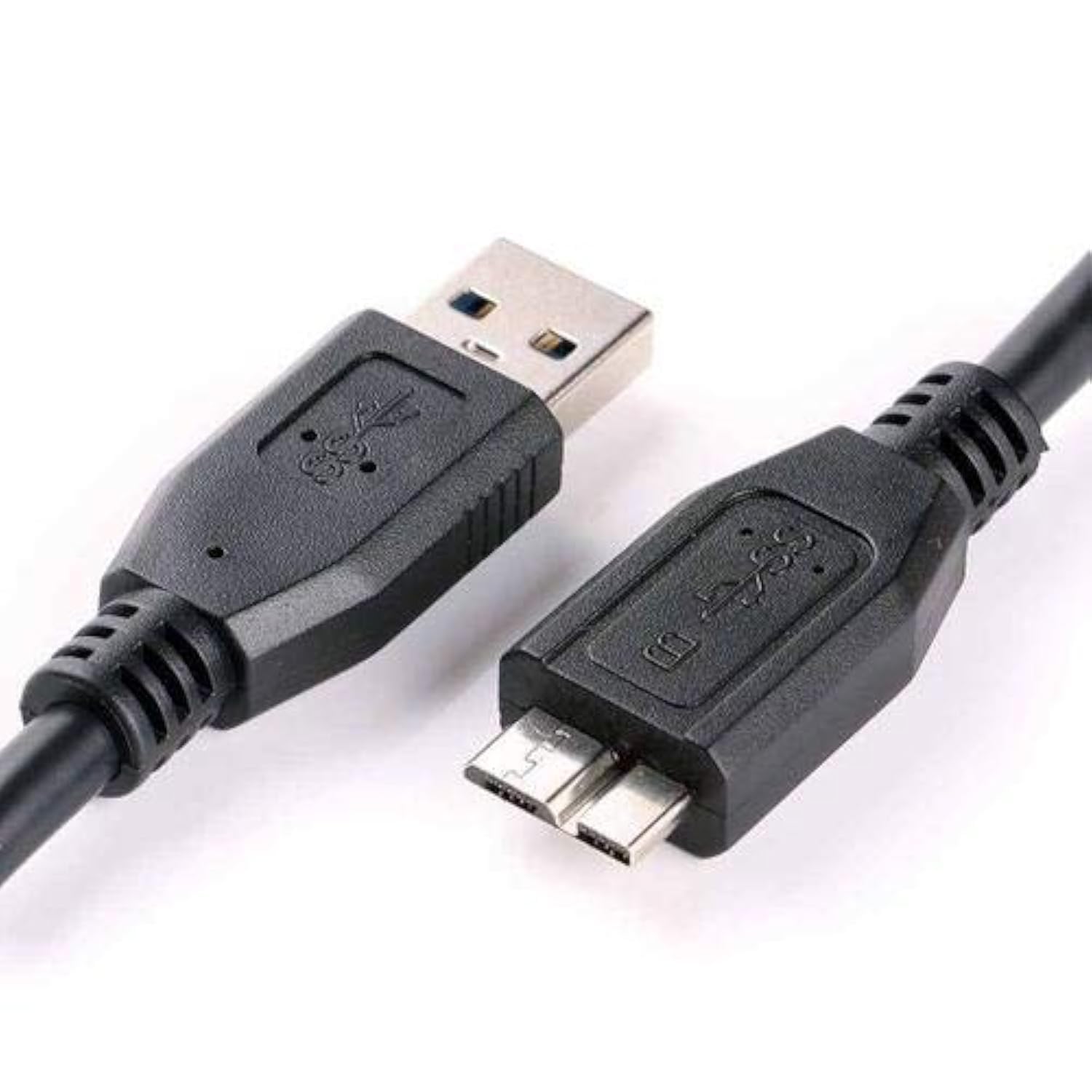
It uses a USB 3.0 (or technically “USB 3.2 Gen 1”) interface for faster transfers, while remaining backward compatible with USB 2.0. toshiba-storage.asia+1
It’s designed to be plug-and-play on Windows (formatted NTFS out of the box) and compatible with Mac though reformatting may be required for full compatibility. toshiba-storage.asia+1
🎯 Key Features & What They Mean
Here are the standout features of this drive, and why they matter in real-world use:
• Large Storage Capacity
With choices up to 4 TB, you can store a huge amount of data – movies, photos, work files, full system backups. The A3 supports capacities like 1 TB, 2 TB and 4 TB. toshiba-storage.asia
This means you won’t have to worry about “running out of space” quickly — a good fit for media creators, students, professionals or anyone doing backups.
• Portable Form Factor (2.5″)
Because it’s a 2.5-inch drive, it’s compact, lightweight, and powered via USB (no separate power brick needed). From Toshiba’s specs: for the 1 TB/2 TB versions weight ~149 g, and for the 4 TB version ~217.5 g. toshiba-storage.asia
The casing is designed to be slim and matte-finished, making it easy to carry in a bag alongside your laptop. Toshiba Storage+1
• USB 3.0 / USB 3.2 Gen 1 Interface
The drive uses SuperSpeed USB (up to ~5 Gb/s theoretical) which means faster file transfers compared to older USB 2.0 external drives. toshiba-storage.asia+1
Of course, actual speeds will depend on your computer’s port, cable, and the drive’s internal HDD speed (typically 5400 RPM for these kinds of portable drives) but it still gives a noticeable improvement.
• Plug-and-Play / Wide Compatibility
Toshiba emphasises that the drive is “no software needed” for Windows; you can just plug-in and begin dragging files. toshiba-storage.asia+1
It’s compatible with Windows out of the box; Mac users may need to reformat. The drive supports USB-powered operation so you don’t need an external power supply. toshiba-storage.asia
• Brandbacked Reliability & Warranty
Toshiba is a known brand in storage solutions with decades of experience. For example, on the A3 spec sheet: “With over 50 years of experience in hard drive technology and unrivalled quality standards … portable hard drives provide a reliable and secure place for your files.” toshiba-storage.asia
Warranty: According to Toshiba’s site, the A3 model comes with a three-year warranty. toshiba-storage.asia
💡 How You’d Use It
Here are typical scenarios where this drive excels — and how to set it up:
-
Laptop/PC Storage Expansion: If your laptop has limited internal storage (e.g., 256 GB or 512 GB SSD), you can offload large files (videos, projects, backups) onto the A3.
-
Media Library & Backups: Store a large collection of movies, music, photos; or use it as a backup drive for system images or important files.
-
Transportable Work: Because it’s portable, you can carry the drive between home, office and travel locations, plug into different computers and access your files.
-
Multi-device Compatibility: Plug into desktops or laptops using USB 3.0; works with older USB 2.0 ports too (though slower). For Mac, you may reformat the drive using Disk Utility if needed.
-
Drag & Drop Simplicity: No complicated setup. Plug in the USB cable, wait for the OS to recognise the drive, then copy/move files as you would any external drive.
⚠️ Things to Keep in Mind / Limitations
No product is perfect; here are aspects to watch or consider:
-
HDD vs SSD: This is a mechanical hard disk drive (HDD). That means while capacity is high and cost per GB is lower, it won’t match the top speeds of external SSDs. If you need very high transfer speeds (for 4K video editing, huge files), SSD options might be better.
-
USB Cable / Port Speed Dependant: While the interface supports SuperSpeed USB, the actual transfer rate will depend on the port/cable used. If plugged into USB 2.0, you’ll get slower speeds.
-
Format Compatibility: On Mac, you may need to reformat the drive from NTFS to exFAT or HFS+ to get full read/write access. That means you might lose pre-loaded formatting if not prepared.
-
Durability & Shock Sensitivity: As with all 2.5″ portable HDDs, while they are somewhat rugged, they are not immune to shock or drops especially while spinning. If you carry it mobile, use care.
-
Power Draw: While USB-powered, some older PCs or weaker USB ports may struggle to supply full power; ensure your USB port is good quality.
-
Actual Usable Capacity: Marketing says “1 TB” or “4 TB”, but after formatting you’ll see slightly less usable space — typical of drives. Toshiba’s spec sheet notes this. Amazon
🧮 Quick Overview Spec-Like Summary
| Feature | Details |
|---|---|
| Form Factor | 2.5″ Portable HDD |
| Storage Capacities | From ~1 TB up to ~4 TB |
| Interface | USB 3.0 / USB 3.2 Gen 1 (≅5 Gb/s theoretical) |
| Compatibility | Windows (NTFS out-of-box); Mac via reformat |
| Power | USB bus-powered (no external adapter) |
| Weight | ~149 g for 1-2 TB model; ~217.5 g for 4-TB model toshiba-storage.asia |
| Dimensions | ~109 × 78 × 14 mm for 1–2 TB; thicker for 4 TB toshiba-storage.asia |
| Warranty | 3 years |
| Use Case | Storage expansion, backup, portable large-file library |
🔍 Why It Might Be a Good Choice for You
-
Affordable per GB: Large capacities like 2 TB/4 TB at reasonable cost make this drive practical for big libraries.
-
Ease of Use: With plug-and-play operation, there’s minimal setup hassle — great if you don’t want to tinker with settings.
-
Portability: Because of its compact size, you can carry it with your laptop, use in multiple locations.
-
Brand Trust: Toshiba has a solid reputation in storage; choosing a recognised brand adds peace of mind.
🛠 Tips for Use & Best Practices
-
Use USB 3.0/3.1 port when possible: For best performance, plug into a blue-coloured USB 3.x port rather than a USB 2.0 port.
-
Safely eject/unmount: Before unplugging, always “eject” the drive to prevent file corruption.
-
Keep backups: Even though it’s reliable, a portable HDD shouldn’t be your only copy of important data. Consider keeping a backup elsewhere (cloud or another HDD).
-
Ventilation & avoid extreme temperatures: While portable, keeping good airflow and avoiding heat buildup will help longevity.
-
Label or organise: If you’ll use multiple drives or capacities, mark the drive (e.g., “Backup 4 TB”) so you know what’s on it.
-
Check formatting if using with Mac: If you plan to plug into both Windows and Mac, format the drive in exFAT for compatibility and no size limits.
-
Check for authenticity: Since large-capacity drives are popular, ensure you buy from trusted retailers and verify the model number (e.g., HDTB420AK3CA or similar) to avoid counterfeit or grey-market items.
🧾 Final Thoughts
The Toshiba A3 (Canvio Basics) portable external hard drive is a solid, no-frills choice when you need big capacity, plug-and-play simplicity, and trusted brand reliability for storing files, media, backups and more. It won’t match the blazing speeds of premium external SSDs, but for many users – students, professionals, media creators, data hoarders – it delivers excellent value.

Reviews
There are no reviews yet.